
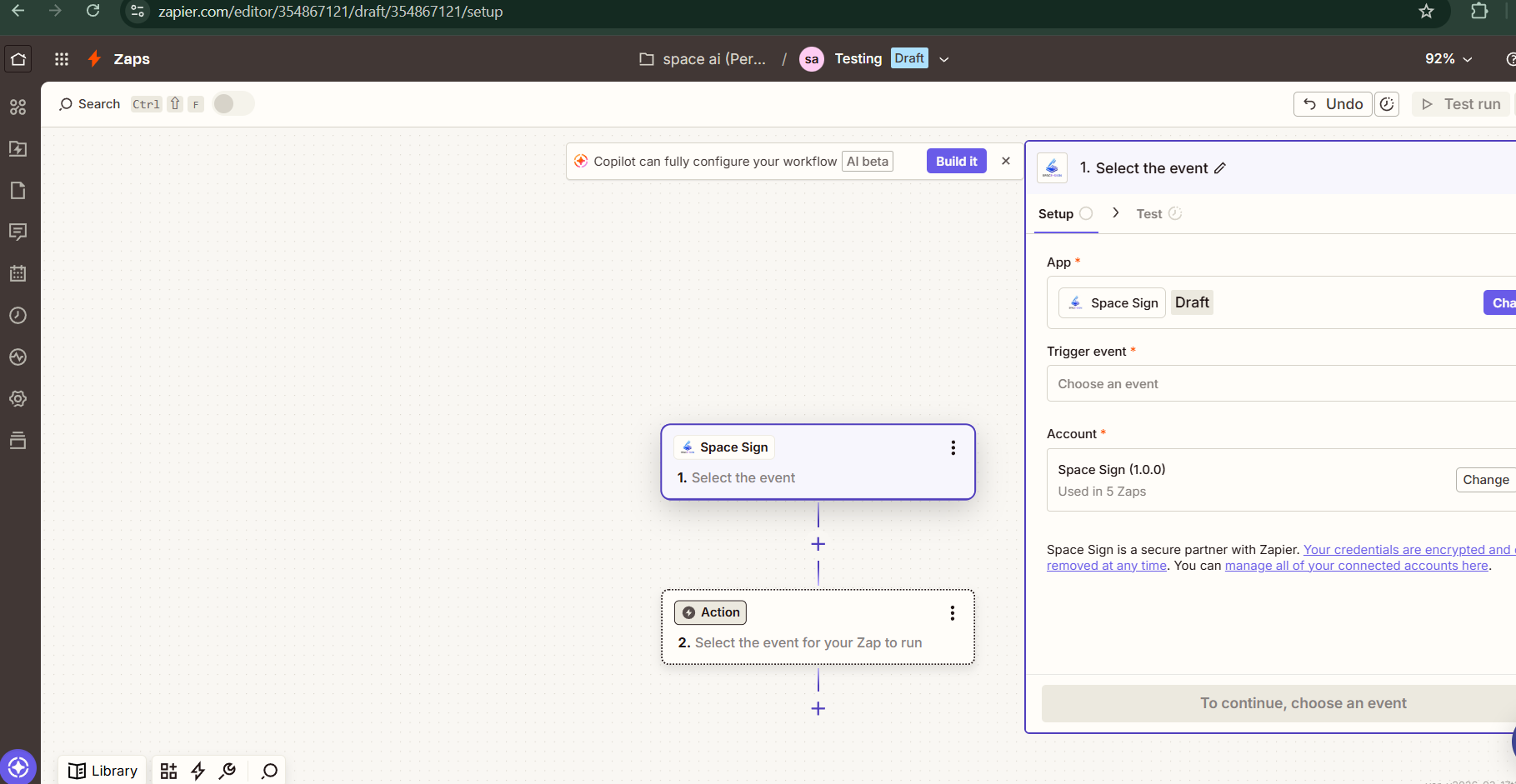
Automate Your E-Signature Workflows with Space Sign on Zapier
Space Sign is now available as a native node on Zapier. Learn how to connect your e-signature and contract workflows to 7,000+ apps—no code required—and save hours every week.
Bilal Prathap
Product Manager, Integrations
Automate Your E-Signature Workflows with Space Sign on Zapier
We're excited to announce that Space Sign is now available as a native node on Zapier—the world's leading no-code automation platform, connecting more than 7,000 apps. This integration means you can now build powerful, automated workflows that connect your contract signing process to every other tool your business relies on, with zero code required.
Whether you want to automatically send a contract for signature when a new deal is closed in your CRM, notify your team on Slack when a document is signed, or add a signed customer to your email marketing list—it's all possible in minutes using the Space Sign Zapier node.
What Is Zapier?
[Zapier](https://zapier.com) is a no-code automation platform that connects your favorite apps and services through automated workflows called Zaps. Each Zap consists of:
Zapier supports over 7,000 apps, which means adding Space Sign as a node instantly unlocks thousands of automation possibilities for your document and signing workflows—all without writing a single line of code.
Why We Built the Space Sign Zapier Node
At Space Sign, we believe that the best e-signature experience is one that fits naturally into your existing workflows. Our customers were already using Zapier to connect dozens of tools—their CRMs, project management platforms, HR systems, and communication tools—and they wanted their contract signing process to be part of that connected ecosystem.
By building a native Space Sign node on Zapier, we made it possible to:
Available Triggers & Actions in the Space Sign Zapier Node
The Space Sign Zapier node currently supports the following triggers and actions:
Triggers (Space Sign → Other Apps)
Triggers are events that happen *inside* Space Sign and start a Zap in another app.
| Trigger | Description |
|---|---|
| Document Sent | Fires when you send a document for signature from Space Sign |
| Document Viewed | Fires when a recipient opens and views the document |
| Document Signed | Fires when all parties have signed the document |
| Signature Declined | Fires when a recipient declines to sign |
| Document Voided / Cancelled | Fires when a document is cancelled or voided |
| Signature Reminder Sent | Fires when an automated reminder is dispatched to a signer |
Actions (Other Apps → Space Sign)
Actions are tasks that Space Sign performs *automatically* when triggered by another app.
| Action | Description |
|---|---|
| Send Document for Signature | Automatically sends a template or uploaded document to one or more signers |
| Void / Cancel a Document | Cancels an in-progress signing request |
| Get Document Status | Retrieves the current signing status of a document |
Note: We are actively expanding the node. Upcoming actions include Create Document from Template, Add Signer, and Download Signed PDF. Stay tuned!
How to Set Up Space Sign on Zapier — Step by Step
Setting up your first Zap with Space Sign takes less than 5 minutes. Here's how:
Step 1: Create a Zapier Account
If you don't already have one, sign up for a free account at zapier.com. Zapier's free plan lets you run up to 100 tasks per month, which is a great way to get started.
Step 2: Find Space Sign in the Zapier App Directory
!Space Sign node selected in Zapier editor
Step 3: Connect Your Space Sign Account
Step 4: Configure Your Trigger or Action
Select the trigger or action you want to use, configure the required fields (such as document template, recipient email, etc.), and test the step to confirm it's working correctly.
Step 5: Add the Second Step of Your Zap
Connect Space Sign to the other app in your workflow (e.g., Slack, Google Sheets, HubSpot), map the data fields, and turn your Zap on.
That's it — your Space Sign automation is live!
Real-World Automation Examples
Here are some of the most popular Zaps our customers are building with the Space Sign node:
1. CRM Deal Closed → Send Contract for Signature
Use case: Sales teams want to instantly send a contract the moment a deal is marked as "Closed Won" in their CRM.
How it works:
Impact: Eliminates the 30–90 minute delay between a verbal agreement and the signed contract, dramatically improving customer experience and deal velocity.
2. Document Signed → Update CRM & Notify Slack
Use case: Once a contract is signed, teams need to update their CRM and alert the account manager immediately.
How it works:
Impact: Complete visibility across teams, zero manual data entry, faster onboarding kick-off.
3. New Employee in HR System → Onboarding Documents Sent
Use case: HR teams want new hires to automatically receive their employment agreement and onboarding forms the moment they're added to the HR system.
How it works:
Impact: New hires sign paperwork before their first day, HR teams save hours per hire.
4. Google Form Submission → Send NDA for Signature
Use case: When a prospective partner fills out a partnership inquiry form, automatically send an NDA before the discovery call.
How it works:
Impact: NDAs are signed before any sensitive conversation begins, protecting your IP automatically.
5. Document Signed → Create Invoice in QuickBooks
Use case: Finance teams want to automatically generate an invoice the moment a service agreement is signed.
How it works:
Impact: Faster billing cycles, zero manual invoice creation, improved cash flow.
6. Signature Declined → Alert Manager via Email
Use case: When a recipient declines to sign a contract, the account manager needs to know immediately to follow up.
How it works:
Impact: No signed contracts fall through the cracks, faster recovery and renegotiation.
Tips for Building Effective Space Sign Zaps
Use Filters to Target Specific Documents
Not every signed document should trigger the same action. Use Zapier's Filter step to only continue the Zap when specific conditions are met—for example, only when the document name contains "Enterprise Agreement" or when the signer's email matches a customer domain.
Use Formatter to Clean Up Data
Zapier's built-in Formatter tool lets you transform data between steps. Use it to format dates, extract the first name from a full name field, or convert a document status to a human-readable label before posting to Slack.
Combine with Multi-Step Zaps
A single Zap can perform multiple actions. For example, when a document is signed, you can simultaneously:
Use Zapier Tables for Document Tracking
Store every signing event in Zapier Tables to build a lightweight contract tracker with no database setup required.
Space Sign + Zapier: The Business Impact
Organizations that connect their e-signature workflow to the rest of their tech stack using Zapier report significant efficiency gains:
| Metric | Before Automation | After Automation |
|---|---|---|
| Time from deal close to signed contract | 2–4 hours | Under 5 minutes |
| Manual data entry per document | 15–20 minutes | 0 minutes |
| Time to notify stakeholders after signing | 30–60 minutes | Immediate |
| HR onboarding paperwork completion rate | 72% before Day 1 | 98% before Day 1 |
| Invoice creation time after contract signed | 1–2 days | Automatic |
Getting Access to the Space Sign Zapier Node
The Space Sign Zapier integration is available to all Space Sign users on the Starter plan and above. To get started:
Don't have a Space Sign account yet? Start your free trial — no credit card required.
What's Coming Next
We're committed to making the Space Sign Zapier node the most powerful e-signature integration on the platform. Here's what's on our roadmap:
Frequently Asked Questions
Do I need to know how to code to use the Space Sign Zapier node?
Not at all. Zapier is designed for non-technical users. If you can fill out a form, you can build a Zap.
Is there a limit to how many Zaps I can create?
There's no limit on Zapier connections from the Space Sign side. Limits depend on your Zapier plan.
Can I send documents to multiple signers in sequence?
Yes. The "Send Document for Signature" action supports multiple signers and sequential signing order.
Is the data sent through Zapier secure?
Yes. All data transmitted between Space Sign and Zapier is encrypted in transit using TLS 1.2+. Space Sign's document data is never stored permanently by Zapier.
What happens if a Zap fails?
Zapier provides detailed error logs and automatic retries. You can also set up a "Catch hook" to be notified of Zap failures via email or Slack.
Conclusion
The Space Sign node on Zapier removes the friction between your e-signature workflow and every other business process. Whether you're in sales, HR, legal, finance, or operations, you can now build automated, end-to-end document workflows in minutes—connecting Space Sign to the apps you already love.
Stop manually copying data, chasing signatures, and updating records. Let Zapier and Space Sign do the work for you.
*Ready to automate your contract workflows? Start your free trial or request a demo to see Space Sign's full integration ecosystem in action.*
*Have a question about the Zapier integration? Reach out to us at support@spaceaiapp.com or chat with us on WhatsApp.*
Ready to Try Space Sign?
Experience the power of enterprise-grade, AI-powered e-signatures.
Read Next
Continue exploring related topics

Automating Change Orders in Construction: Save 80% of Admin Time
Stop chasing signatures for change orders. Learn how leading contractors automate change order workflows with AI-powered e-signatures, cutting approval time from days to hours.
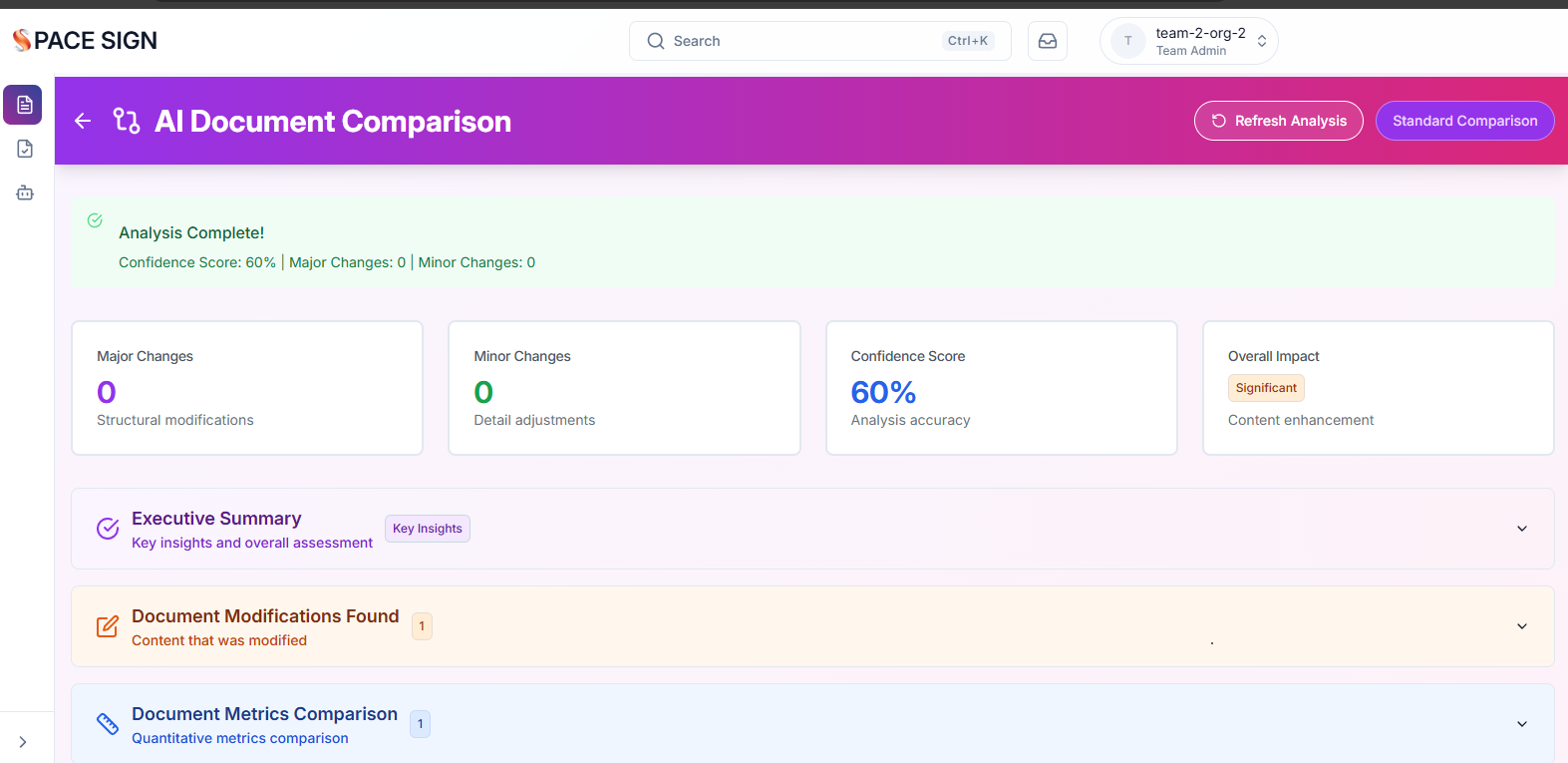
How AI Document Analysis is Revolutionizing Contract Review
AI-powered document analysis can review contracts in seconds, not hours. Learn how Space Sign's AI identifies risks, extracts key clauses, and suggests improvements automatically.
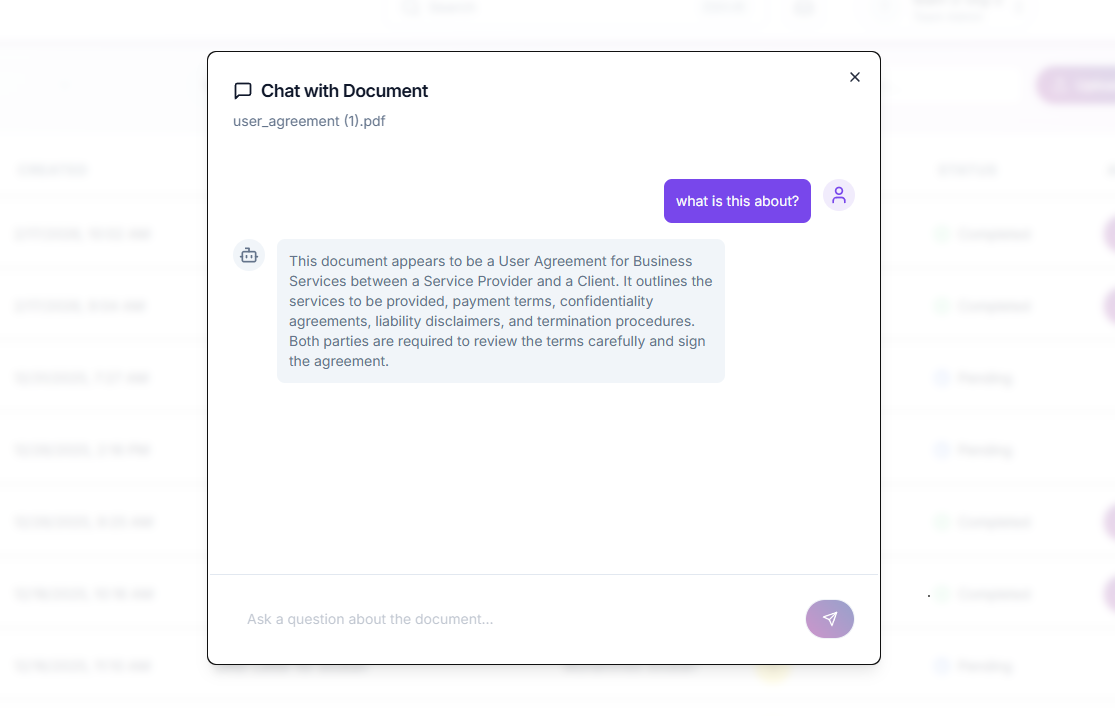
Document Chat AI: Talk to Your Contracts Like a Lawyer
Revolutionary AI lets you ask questions about your contracts in plain English. Extract key terms, identify risks, and understand obligations without reading 50 pages.